Create Dynamic QR codes with editable destinations, analytics, targeting and scheduling. Update links after printing and track scans in real time with QRUpp.
Create and manage Dynamic QR codes with editable destinations, scan analytics, targeting, scheduling and A/B testing. Update your link after printing and track performance in real time.
Unlimited QR code scans - always.
What is a Dynamic QR Code?
A Dynamic QR code points to a short link you control. When scanned, QRUpp redirects visitors to your current destination and records scan events. You can change the target later without reprinting the code.
- Edit destinations any time while keeping existing print materials in use
- Measure scans with time, device and approximate location data
- Enable advanced behaviour like app linking, pixels, targeting and scheduling
- Run controlled A/B tests by splitting traffic between multiple destinations
How it works
- Your QR encodes a shortened link hosted by QRUpp.
- On scan, QRUpp logs the event and applies any rules you set (for example: scheduling, geo/device targeting, A/B split testing, app linking, UTM tagging or password checks).
- The visitor is then redirected to your current destination URL.
Create a Dynamic QR Code in QRUpp
- Log in to your account and click Links in the left-hand menu, then Create Link.
- Enter the URL of your target page.
- Select the domain name you wish to use for your shortened link*.
- Use advanced options such as App linking, Social Pixels, Scheduling, Targeting, A/B Split Testing, UTM Parameters and Password protection to control how and when your link behaves.
- Click Create to save your link.
- Click the three dots at the top right and choose Create QR.
- Customise your QR code using the same design options as a static URL QR code, then generate and download your file.
* A Dynamic QR code relies on a shortened link so that QRUpp can handle redirection, analytics and advanced functions. When scanned, the QR points first to the short link, allowing QRUpp to record scan data and then forward the user to your final destination URL.
If you just need a simple, permanent link without analytics or editing later, try a URL QR code instead.
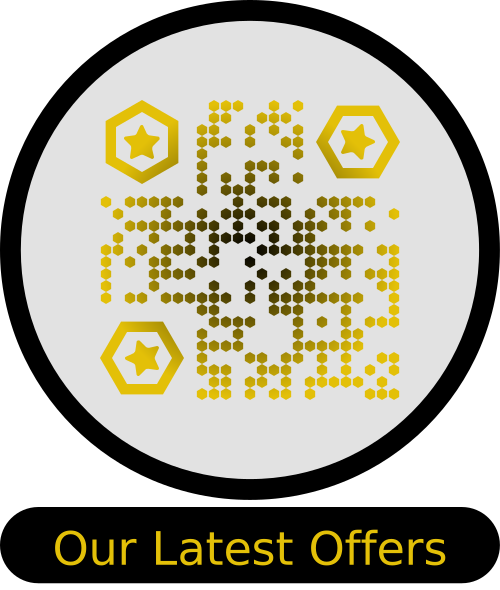
Example Output
Best uses
- Campaigns: update landing pages over time without reprinting.
- A/B testing: split or rotate destinations to compare performance.
- Targeting: mobile vs desktop, locations, languages.
- Scheduling: time-based redirects and seasonal updates.
- Retail & venues: swap menus, promotions, event info quickly.
- Maintenance: route traffic to status pages during outages.
- Multi-language: user-appropriate destinations.
Tips for effective Dynamic QR codes
- Use a branded short domain for trust.
- Always define a fallback destination.
- Use UTM parameters for analytics.
- Test on both iOS and Android.
- Document your rules for consistency.
Get started
Create a short link with rules and analytics, then generate a Dynamic QR code you can change any time without reprinting.
Prefer a simple permanent code? Try URL QR codes.
Not sure which QR code you need? Read our complete guide to QR codes for business to understand how they work and when to use each type.