Create Crypto QR codes for Bitcoin, Ethereum, and Elrond payments. Encode wallet addresses and amounts for fast, error-free transfers directly to your crypto wallet with QRUpp.
Create Crypto QR codes for Bitcoin, Ethereum, and Elrond payments. Encode wallet addresses and amounts for fast, error‑free transfers directly to your crypto wallet with QRUpp.
What is a Crypto QR Code?
A Crypto QR code encodes a wallet address and optional amount using the standard crypto URI format. When scanned in a supported wallet app, it opens a send screen with the correct address pre‑filled—avoiding typos and mistakes.
How Crypto QR Codes work
QRUpp creates a URI in the format coin:walletaddress?amount=value. For example: bitcoin:1ABC123...?amount=0.05. The wallet app reads the address and amount, allowing users to confirm and send funds instantly.
Create a Crypto QR Code in QRUpp
- Log in to your account and click Links in the left‑hand menu, then Create Link.
- Select Crypto at the top of the page.
- Enter a meaningful name for your QR code.
- Enter Coin (Bitcoin, Ethereum, or Elrond), Address, and Amount.
- Choose the style, colours, frame, foreground/background images, and optional logo.
- The preview updates in real time as you adjust settings.
- Click Generate to save your QR code.
- Download as SVG, PNG, JPG, or WEBP, or print to hard copy or PDF.
Requires an account.
Tip: To find your wallet address, open your wallet app (e.g., Coinbase, Metamask, Trust Wallet), choose Receive, and copy the public address shown—it’s safe to share.
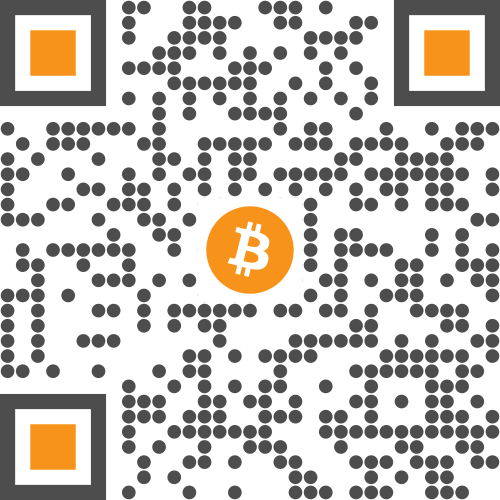
Example Output
Best uses
- Merchants & freelancers: accept direct crypto payments.
- Donations: display a single QR for supporters to scan.
- Events & conferences: quick transfers for demos or giveaways.
- Personal wallets: simplify receiving crypto from friends or clients.
Tips for secure payments
- Always match coin type and address format (e.g., BTC vs. ETH).
- Use the correct decimals/units for the amount.
- Label QRs clearly with coin name and amount.
- Consider Dynamic QRs if you need analytics or editable targets.
Unlimited QR code scans - always
Crypto QR Code: FAQs
QRUpp currently supports Bitcoin, Ethereum, and Elrond, with more networks planned for the future. Each coin uses its own standard URI format when generating the QR code.
Yes. When you generate your crypto QR code, you can specify an amount so that compatible wallet apps pre-fill the payment value when the QR is scanned.
Blockchain transactions are publicly visible on-chain, but that doesn’t tell you who scanned your QR code or where from. For scan analytics, pair your wallet address with a Dynamic QR code in QRUpp so you can record scan events before the user is redirected to their wallet app.
Yes. Public wallet addresses are designed to be shared so you can receive funds. Never include or share your private keys, seed phrase, or any other sensitive credentials in a QR code.
Get started
Accept crypto securely and quickly—generate a Crypto QR code that opens the wallet send screen in one scan.
Not sure which QR code you need? Read our complete guide to QR codes for business to understand how they work and when to use each type.