
QR Code Type
WhatsApp QR Codes
Create WhatsApp QR codes that open a chat with your number and an optional message prefilled. Ideal for sales enquiries, support, bookings and quick replies.
WhatsApp QR Codes
What is a WhatsApp QR Code?
A WhatsApp QR code launches a chat thread in WhatsApp using your number and an optional prefilled message. It removes typing friction so customers can contact you in seconds.
How WhatsApp QR Codes work
QRUpp builds a WhatsApp deep link in the format https://wa.me/<number>?text=<encoded message>
Create a WhatsApp QR Code in QRUpp
- Either click Generate QR codes from our homepage, or (if you have an account) log in and click QR codes in the left‑hand menu, then Create QR.
- Select WhatsApp at the top of the page.
- Enter a meaningful name for your QR code.
- Enter the phone number and the message to be sent.
- Choose the style, colours, frame, foreground/background images, and optional logo.
- The preview updates in real time as you adjust settings.
- Click Generate to save your QR code.
- Download as SVG, PNG, JPG, or WEBP, or print to hard copy or PDF.
No account required.
Best uses
- Sales & enquiries: quick chat from posters, flyers, or product pages.
- Customer support: triage with prefilled context in the message.
- Bookings & appointments: message templates to collect details.
- Events & pop‑ups: staff backline for questions and directions.
Tips for faster replies
- Use an international format (e.g.,
+44…) so the link works worldwide. - Keep the prefilled message short with clear prompts (e.g., “Name + enquiry”).
- State your response hours and expected reply time near the QR.
- Test on iOS and Android; ensure WhatsApp is installed or a web fallback appears.
Unlimited QR code scans – always
Example Output
WhatsApp QR Code example
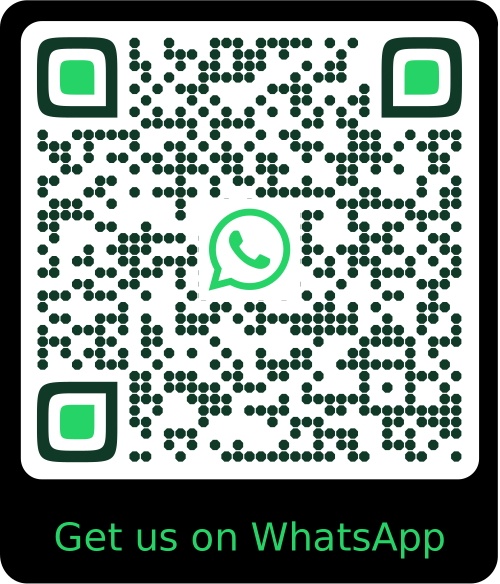
A sample WhatsApp QR Code generated with QRUpp. For print, use a minimum size of 25–35 mm for reliable scanning.
FAQ
WhatsApp QR Codes: FAQs
On desktop, WhatsApp Web opens; on mobile without the app, users are prompted to install WhatsApp.
Use the full international number with country code and no spaces (e.g., +447700900123).
WhatsApp deep links don’t track scans. Include a short link in the prefilled message or pair with a Dynamic URL for attribution.
QR Code Types
Create QR codes for any use case
From simple links to payments and events, generate QR codes tailored to your needs.
Not sure which QR code you need? Read our complete guide to QR codes for business to understand how they work and when to use each type.
Get Started
Create your WhatsApp QR Code in seconds
Open the WhatsApp QR Code generator, customise your design, and download a print-ready QR code in just a few clicks.