
QR Code Type
AI QR Codes
Create AI QR codes that blend artwork with a fully scannable QR pattern. Use QRUpp’s Replicate-powered generator to produce unique, on-brand designs for campaigns, packaging, events, and more.
AI QR Codes
What is an AI QR Code?
An AI QR code blends artificial intelligence with QR design. Instead of a plain black-and-white pattern, it creates a visually enhanced image that still scans perfectly – ideal for catching attention on packaging, social posts, posters, or digital artwork.
- Supported link types: URL links and Dynamic links
- Use cases: campaigns, product packaging, events, art, digital publishing
How AI QR Codes work
An AI QR code encodes a standard QR pattern – either static or dynamic – and then uses Replicate to generate an image that visually integrates with the code while preserving scannability. Your prompt guides the design, and each result is unique.
Create an AI QR Code in QRUpp
- Log in to your account and click AI QR codes in the left-hand menu, then Create QR.
- Enter a meaningful name for your QR code.
- Enter the AI prompt to describe the image you want for your QR code.
Example: “a photograph of a deer standing in the forest surrounded by brightly coloured flowers and berries.” - Enter the URL of your target page, or select Dynamic QR code and choose from a list of previously created short links.
- Click Generate AI QR code and let the AI do its magic.
- Download as SVG, PNG, JPG, or WEBP, or print to hard copy or PDF.
* Each generation will use 1 credit from your account.
Best uses
- Marketing campaigns: make the QR part of the artwork.
- Product packaging: embed branded or themed visuals around the code.
- Events & promotions: create shareable codes that reflect your event identity.
- Art & design: generate creative, collectible or decorative QR experiences.
- Digital publishing: use aesthetic codes in presentations, websites, and apps.
Tips for creating effective AI QR codes
- Keep your prompt short and specific—avoid long descriptions.
- Test your QR before printing or sharing.
- Experiment – every generation can produce a new creative variation.
Unlimited QR code scans – always
Example Output
AI QR Code example
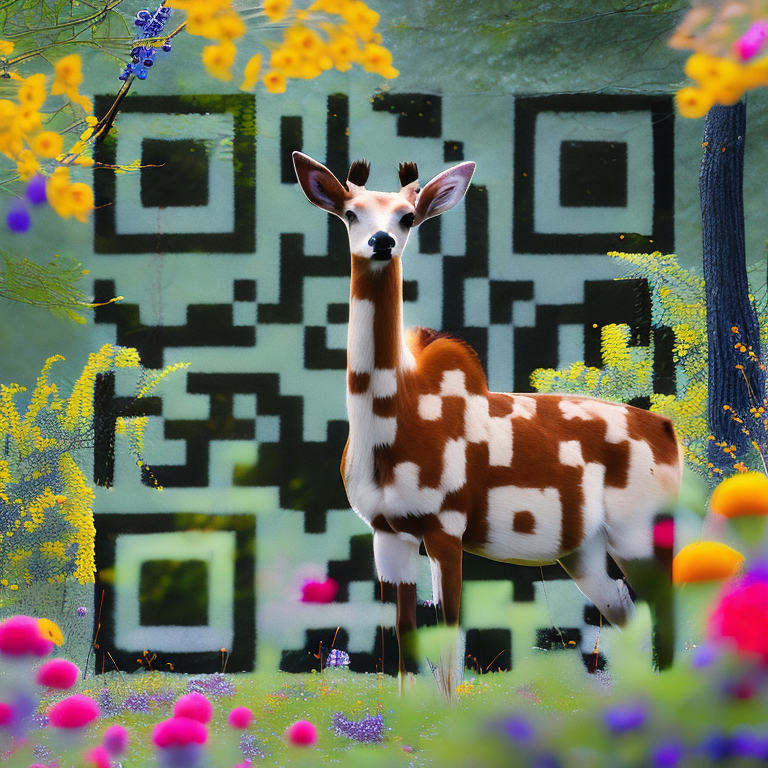
A sample AI QR Code generated with QRUpp. For print, use a minimum size of 25–35 mm for reliable scanning.
FAQ
AI QR Codes: FAQs
Yes. They remain fully scannable, using the same encoding as standard QR codes.
Currently, URL and Dynamic links are supported for AI generation.
Each new AI QR generation consumes one credit from your account. Previewing or re-downloading a saved code does not use extra credits.
Yes. Every generation is created from your prompt and AI randomness, resulting in a unique image each time.
Yes, you can use AI-generated QR designs from QRUpp for both personal and commercial purposes.
QR Code Types
Create QR codes for any use case
From simple links to payments and events, generate QR codes tailored to your needs.
Not sure which QR code you need? Read our complete guide to QR codes for business to understand how they work and when to use each type.
Get Started
Create your AI QR Code in seconds
Open the AI QR Code generator, customise your design, and download a print-ready QR code in just a few clicks.